
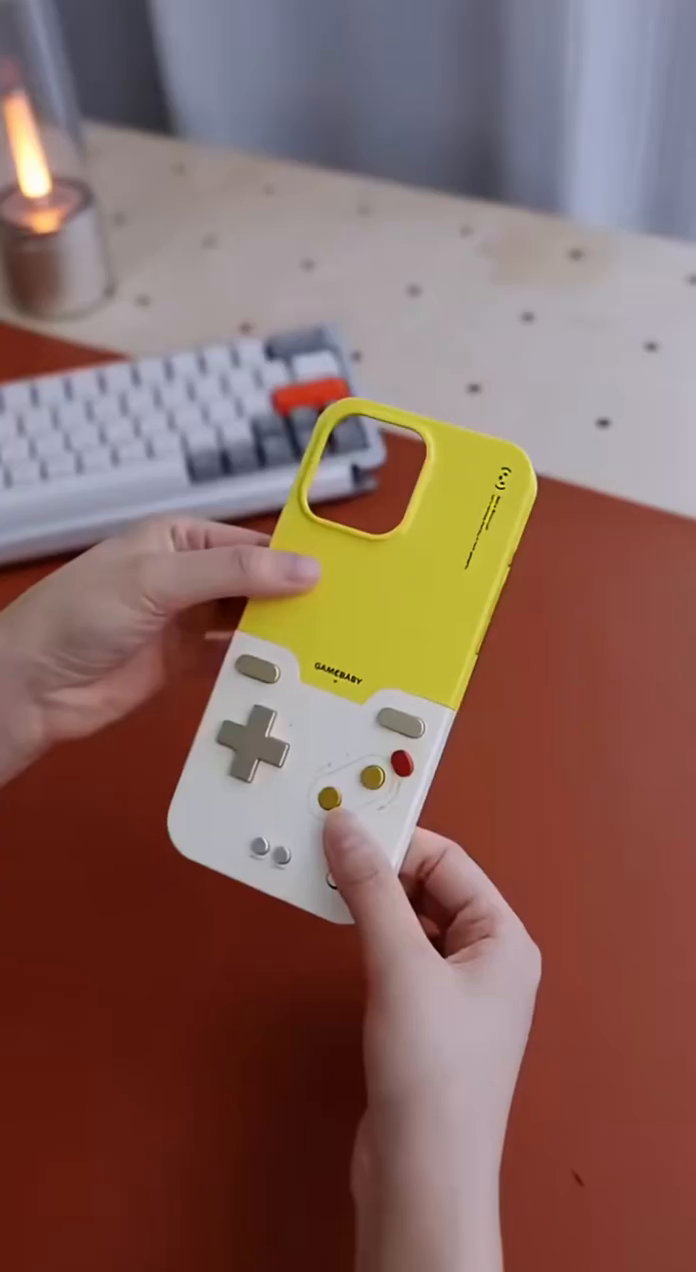
A phone case that physically turns your iPhone into a retro handheld controller
The Bitmolab GameBaby is one of those rare accessories that solves a very specific annoyance in a clever mechanical way: touchscreen emulation feels slippery and imprecise, but carrying a separate controller is bulky. This case bridges that gap by combining everyday phone protection with a built-in retro control deck that slides into gaming position when you want real buttons.
The Standout Appeal & Why It Caught Our Attention
What makes this case interesting is that it does not try to be a Bluetooth gamepad, battery pack, or clip-on accessory. Instead, it uses a purely physical, no-power control system built directly into the case. The lower section flips or slides from the back to the front of the phone, lining up with on-screen controls in compatible emulators. That means you get a more console-like feel without charging another gadget or pairing anything.
- Two-in-one concept: daily protective case and retro gaming controller in one shell.
- Instant mode switch: move the lower half from the back to the front when it is time to play.
- Strong nostalgia factor: the layout, colors, and button styling clearly reference classic Game Boy-era handhelds.
Key Features & How It Works
The GameBaby is designed around mechanical touch input. Its physical buttons press conductive contact points against the phone screen, simulating finger taps where emulator controls appear. In practice, it gives you tactile input while still relying on the phone’s touchscreen underneath.
- No battery, no Bluetooth, no charging: there are no wireless radios or internal electronics to manage.
- Physical D-pad and action buttons: the case uses silicone-backed controls with rigid matte-finish keycaps for a more clicky, deliberate feel than glass tapping.
- Delta emulator support: it is specifically engineered to align with the Delta Emulator, including downloadable matching screen skins via QR code.
- Retro layout: visible controls include a D-pad, face buttons, and smaller function buttons styled after classic handheld consoles.
- Low-profile construction: the case remains relatively slim at around 3mm, prioritizing portability over bulky controller grips.
- Everyday usability: camera cutouts, side buttons, and ports remain accessible when used as a normal case.
- Color options: available in a classic gray/white retro look and a more playful yellow with beige accents version shown here.
Practical Everyday Uses
This is most useful for people who already emulate retro games on their phone but dislike virtual controls. It is also a smart fit for users who want a playful case that does more than just protect the phone.
- Commute gaming: on a train, flight, or lunch break, you can switch from normal phone mode to handheld mode in seconds without digging out a separate controller.
- Retro emulator sessions at home: ideal for Game Boy, Game Boy Color, Game Boy Advance, and NES titles where directional precision matters more than touchscreen swipes.
- Minimalist everyday carry: good for users who want tactile gaming controls without adding another rechargeable accessory to their bag.
Things To Consider Before Buying
The concept is clever, but it is important to understand what this case is and is not. It is not a universal controller and it does not add processing power. Its usefulness depends heavily on your phone model and emulator setup.
- Check compatibility carefully: supported versions are tied to specific iPhone models, including recent Pro and Pro Max sizes.
- Best with Delta: the alignment is built around the Delta Emulator, so results may vary with other apps or custom control layouts.
- Protection is basic: the slim silicone frame is meant for light everyday bumps, not rugged drop protection.
- Screen alignment matters: because the buttons trigger touch points on the display, proper emulator skin placement is essential for accurate control response.
- Retro-first design: this is best suited to older 2D games rather than modern titles that need analog sticks, triggers, or complex input mapping.