
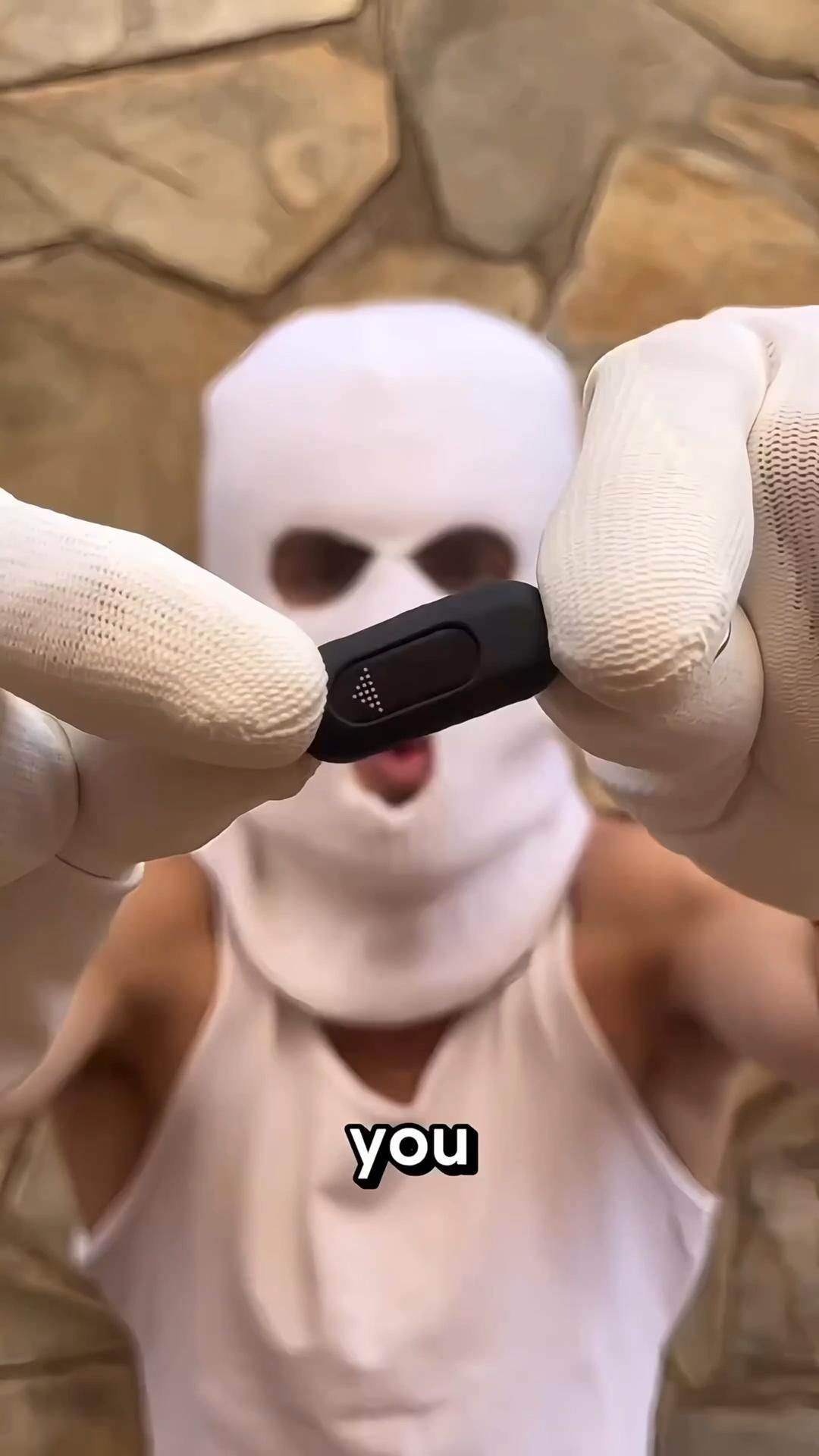
A Tiny Phone Attachment That Turns Your Smartphone Into a Pocket Universal Remote
The Control Plug is essentially a compact smartphone infrared transmitter adapter that plugs into a phone’s charging port and gives the handset the missing hardware needed to control traditional IR-based electronics. Instead of carrying separate remotes for a TV, projector, air conditioner, or set-top box, this little dongle lets your phone handle the job through a dedicated remote-control app.
The Standout Appeal & Why It Caught Our Attention
What makes this item interesting is how much function it packs into such a small physical footprint. Many modern phones no longer include a built-in IR blaster, which means they can stream content beautifully but cannot directly command older appliances. This adapter restores that capability with a plug-and-play external IR emitter, effectively turning a smartphone into a more flexible universal remote.
It also stands out because the design is intentionally minimal: a small black capsule-shaped body with a glossy front window for the infrared emitter and a phone connector on top. It is the kind of accessory that can live on a keyring or in a tech pouch without taking up meaningful space.
Key Features & How It Works
The adapter works by connecting to the phone’s Lightning or USB-C port, then using an app to send infrared commands through the dongle’s front-facing emitter. Unlike Bluetooth-only controllers, this relies on line-of-sight IR transmission, the same basic method used by conventional TV remotes.
- Phone-powered operation: The unit draws power directly from the smartphone, so there is no separate battery to charge.
- Compact one-piece build: The body appears to use a matte black shell with a darker glossy IR window, keeping it discreet and pocketable.
- Universal remote functionality: Compatible apps typically include code libraries for TVs, projectors, air conditioners, fans, and media boxes that use infrared control.
- Port-specific versions: Visuals show variants for Lightning and likely Type-C, so buyers need the correct connector for their phone.
- Directional emitter: The dotted icon and dark front panel suggest the transmitting end, which should be aimed toward the appliance’s IR receiver.
Practical Everyday Uses
This is one of those accessories that becomes more useful the moment you remember how many devices still depend on infrared.
- At home: Keep it in the living room as a backup when the TV remote disappears into the couch, or use it to control an air conditioner from bed without hunting for the original controller.
- For travel: Hotel TVs, conference-room projectors, and rental apartment AC units often use standard IR remotes. This adapter can reduce the friction of dealing with unfamiliar controls.
- For tech tinkerers: It is a neat tool for people who like consolidating functions into their phone, especially if they manage multiple older appliances in one room.
Things To Consider Before Buying
This is a genuinely useful accessory, but it is important to understand its limits before ordering.
- Check connector compatibility: Make sure you choose the correct version for Lightning or USB-C. Some phones may also require app permissions or OTG-style support.
- It controls IR devices, not everything: TVs and AC units are common targets, but devices that rely only on Bluetooth, Wi-Fi, NFC, or proprietary encrypted systems will not respond.
- Line-of-sight matters: Like a normal remote, the adapter usually needs to be pointed toward the receiving sensor.
- App quality varies: The hardware is only half the experience. A good companion app with a broad device database makes a major difference.
- Use responsibly: While social videos often frame these as prank tools, the legitimate value is as a portable universal remote for your own compatible electronics.