
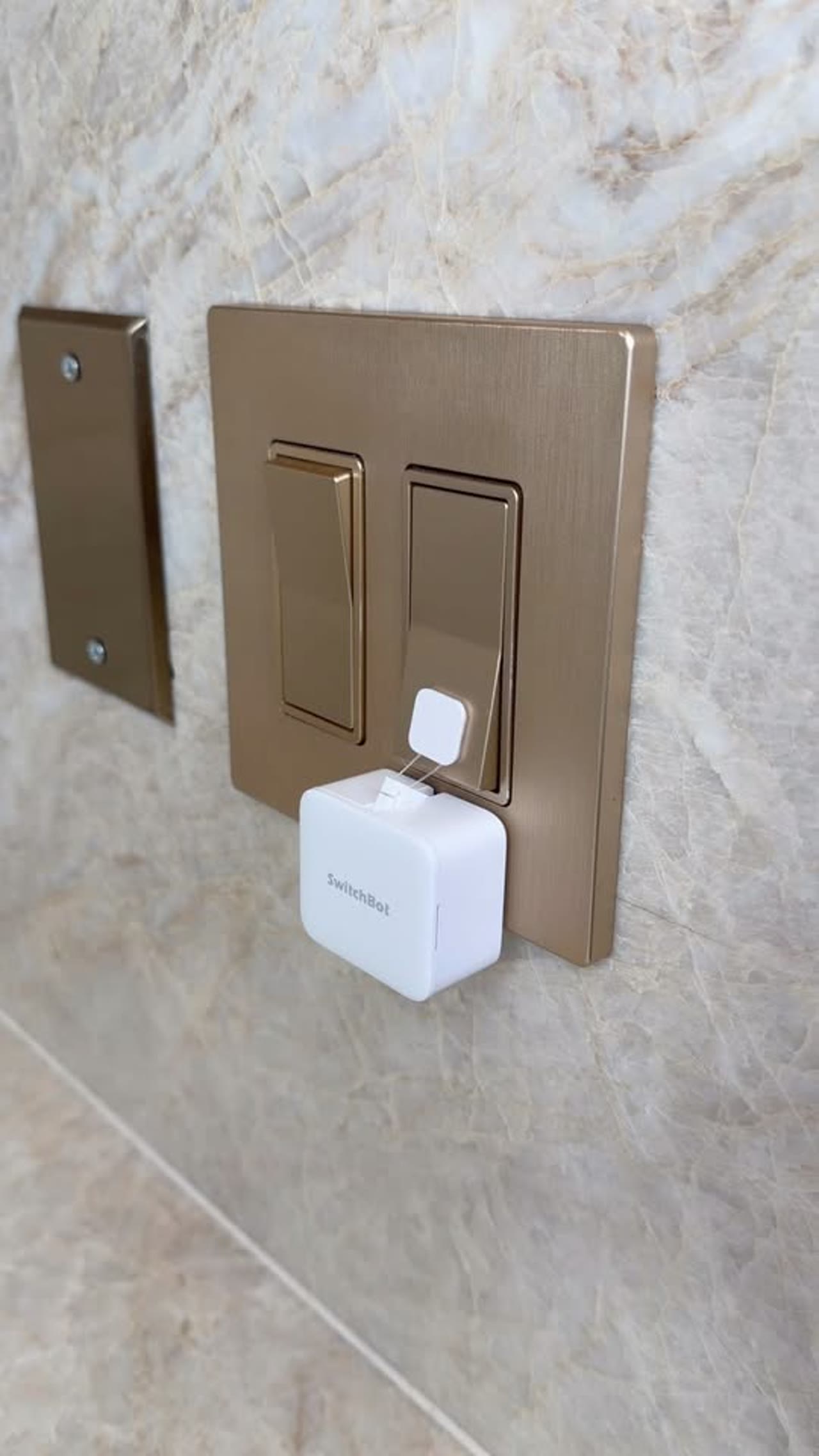
A tiny stick-on robot that turns ordinary switches and buttons into smart controls
The SwitchBot Bot is one of those rare smart-home ideas that feels almost absurdly simple: instead of replacing your existing switch, rewiring a wall box, or buying a whole new appliance, it physically presses the button for you. Mounted with adhesive beside a rocker switch, coffee maker, or one-way power button, this compact actuator gives old-school hardware a smart upgrade without opening a toolbox.
The Standout Appeal & Why It Caught Our Attention
Most smart-home gear asks you to swap out working hardware. The appeal here is the opposite: keep the device you already own, then add a small mechanical “finger” that interacts with it exactly the way a human would. That makes it unusually flexible. If a machine already works when you push its button, the SwitchBot Bot can often automate it too.
- No wiring required, which makes it especially attractive for renters, apartments, dorms, and anyone who does not want to mess with electrical boxes.
- Physical automation instead of electrical modification means it can work on more than lights: coffee machines, air purifiers, desktop PCs, water dispensers, and other push-button appliances are all fair game.
- Dual-purpose design is what makes it clever: it can simply push a button in Press Mode, or use the included adhesive pull tab/string setup in Switch Mode to help toggle certain rocker switches back the other way.
In the images, that versatility is easy to see. It is shown both on a wall rocker switch and on a countertop coffee machine, which captures the product’s real value better than any spec sheet: it is a bridge between dumb hardware and automation.
Key Features & How It Works
The SwitchBot Bot is a compact white module measuring roughly 43 x 37 x 24 mm and weighing about 42 g. Its body sticks next to a target control using pre-installed 3M adhesive. Once mounted, a small internal motor moves a mechanical arm outward to press, or works with the included add-on tab to pull a rocker back.
- Press Mode: Ideal for one-way buttons such as coffee maker brew buttons, PC power switches, intercoms, or other momentary controls.
- Switch Mode: Uses the included small adhesive tab/string attachment to handle compatible rocker switches, enabling both on and off movement in situations where a simple push is not enough.
- Bluetooth control out of the box: Local app control works without extra hardware.
- Optional hub expansion: Pair it with a SwitchBot Hub Mini or Hub 2 to unlock Wi-Fi remote access, voice assistant support, cloud automation, and IFTTT-style routines.
- App scheduling: You can create timers and routines so the bot presses at set times.
- Adjustable press-and-hold timing: Helpful for devices that require a quick tap versus a longer hold.
- Voice ecosystem support: With a hub, it can work with Alexa, Google Assistant, and Siri Shortcuts.
- Battery powered: Runs on a replaceable CR2 3V lithium battery with an estimated life of around 600 days at about two presses per day.
Its engineering is intentionally straightforward: a self-contained motorized pusher in a clean plastic shell. That simplicity is exactly why it works in so many places. If there is enough flat mounting space beside the control and the button travel is within range, the bot can often automate it.
Practical Everyday Uses
This is the kind of product that becomes more useful the more “almost-smart” things you own.
- Automating a coffee station: Mount it to a coffee maker’s brew or power button so your machine can start with a scheduled routine or a voice command once paired to a hub.
- Upgrading hard-to-reach light switches: Great for tall entryway switches, stairwell lighting, or awkwardly placed rocker controls where you want easier access without replacing the switch hardware.
- Making legacy appliances part of a smart-home routine: Space heaters, fans, air purifiers, water dispensers, or even office equipment with simple physical buttons can often be triggered on a schedule.
It is also useful for people who want non-permanent automation. If you are renting, testing a smart-home setup, or dealing with appliances that cannot be smart-plugged easily, this offers a low-commitment path.
Things To Consider Before Buying
The idea is simple, but compatibility still matters. This is not a universal solution for every appliance.
- Check button style and travel distance: The bot works best with clearly pressable mechanical buttons or compatible rocker switches. Flush capacitive touch panels are a different story.
- Make sure there is enough mounting space: You need a flat area next to the switch or button for the body to adhere properly and operate without obstruction.
- Voice and remote control need extra hardware: Bluetooth works locally, but out-of-home control and Alexa/Google voice commands require a SwitchBot hub.
- It physically actuates the control: That means the underlying appliance must already be capable of turning on by button press alone. Some devices reset or require additional manual steps after power loss.
- Battery maintenance is part of ownership: Long battery life is a plus, but it is still a battery-powered actuator you will eventually need to service.
For the right use case, though, that tradeoff is what makes the SwitchBot Bot so interesting: it solves automation with motion instead of rewiring, which opens up a surprising number of smart-home possibilities.