
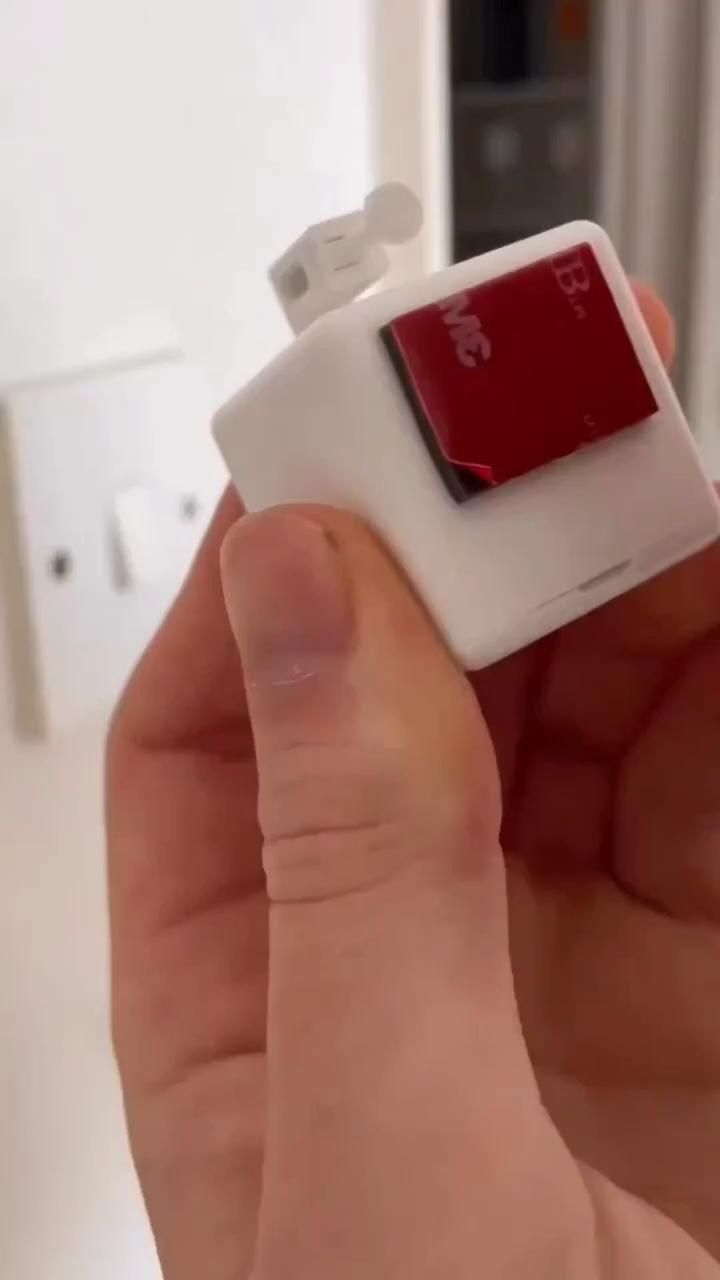
A tiny retrofit robot that turns ordinary switches into app-controlled smart controls
The Tuya Smart Bluetooth Fingerbot is a clever workaround for one of the most annoying smart-home problems: how to automate a physical switch or button without opening walls, rewiring circuits, or replacing existing hardware. Instead of becoming the switch, it simply presses the switch for you using a small motorized arm mounted beside the control surface. That makes it especially useful for renters, older homes, and awkward appliances that still rely on manual buttons.
The Standout Appeal & Why It Caught Our Attention
Most smart-home upgrades ask you to replace something. This one does the opposite. The Fingerbot keeps your existing wall switch, appliance button, or rocker control in place and adds a compact robotic actuator on top. It is a genuinely practical form of automation because it works with the physical world as-is.
- No wiring required, which removes the biggest barrier for many users.
- Retrofit-friendly design lets it automate legacy switches, intercom buttons, coffee machines, and other non-smart hardware.
- Small cube form factor keeps the installation visually discreet while still housing a motorized push arm.
- Smart Life/Tuya ecosystem support makes it more useful than a novelty, since it can be scheduled and integrated into routines.
Key Features & How It Works
Visually, the product uses a compact white plastic square housing with a front power/control button and an adhesive mounting system. A small articulated arm extends from the top or side and ends in a rounded contact tip designed to physically push or toggle a target control.
- Motorized push arm: The core mechanism is a short robotic finger that moves forward to press a button or nudge a rocker switch.
- Adhesive installation: The included 3M mounting pad suggests tool-free attachment directly beside a switch plate or appliance control.
- Bluetooth smart control: The user-provided context identifies this as a Tuya Smart Bluetooth model, typically managed through the Smart Life app.
- Voice assistant compatibility: It can be tied into Alexa and Google Assistant workflows, usually through the Tuya ecosystem and, in some setups, a compatible gateway.
- Timer and scheduling support: Instead of manually tapping the app each time, users can automate recurring on/off actions for lights and appliances.
- Works by physical contact: This is important: it does not electrically control the circuit. It literally presses the existing switch, which is why it can work on many non-smart devices.
- Flexible placement: The images show it mounted on rocker switches and even positioned to press a chrome flush-style button, highlighting its usefulness beyond lighting.
Practical Everyday Uses
This is the kind of product that becomes more interesting the more manual things you notice around your home.
- Automating old wall switches: If you have traditional rocker switches and do not want to replace them, the Fingerbot can turn lights on before you get home or switch them off at bedtime on a schedule.
- Making awkward appliances smarter: It can press the power button on devices that lack app control, such as desk lamps, fans, or small appliances that stay in a ready state.
- Accessibility and convenience: For users with limited mobility, or for switches placed in inconvenient spots, app and voice control can remove the need to physically reach the button every time.
Things To Consider Before Buying
As clever as it is, this is a product that depends heavily on fit and placement. It works best when the target button or switch has the right travel distance and enough surrounding space for the housing and arm.
- Check switch compatibility: Rocker switches, push buttons, and toggle-style controls behave differently. Make sure the arm can reach and apply force in the correct direction.
- Measure clearance: The cube body needs room beside the switch plate, and nearby trim or adjacent switches can interfere with mounting.
- Understand connectivity needs: Bluetooth control is straightforward at close range, but some remote and voice features may require a Tuya-compatible hub or gateway depending on your setup.
- Battery and maintenance: Since it is a motorized actuator, it will need power management and occasional battery attention if not hard-powered.
- It presses, it does not replace: This is ideal for non-invasive automation, but it also means performance depends on the physical resistance and design of the original button.
For anyone trying to bridge the gap between a traditional home and a smart one, the Tuya Fingerbot is a surprisingly elegant answer: automation by touch, without touching the wiring.